📅 Organization & planning

An agenda designed for
prospecting

Organize your follow-ups, schedule your appointments and never leave a prospect without tracking. The Prospect Hub agenda is directly linked to your leads to keep context at every interaction.

Three views to match your pace

Switch from monthly to daily view in one click. Each view is designed for a specific purpose.
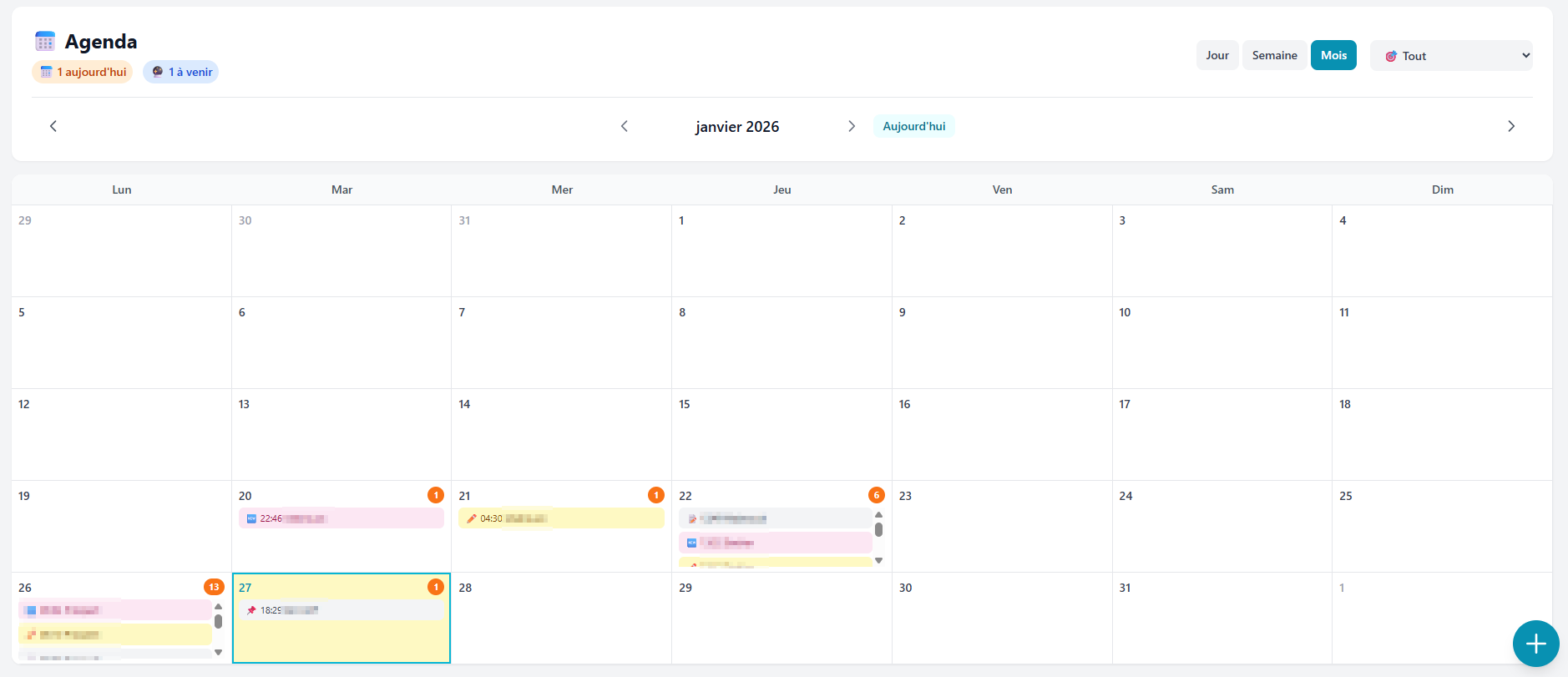
Prospect Hub monthly agenda view - calendar with color-coded events by type
Month view

Monthly view

Get the big picture. The monthly view gives you a global overview of your prospecting activity. Spot your busiest days at a glance thanks to counter badges on each day.

  • Color-coded events by type (call, meeting, follow-up...)
  • Counter badges on busy days
  • Click on a day to see the details
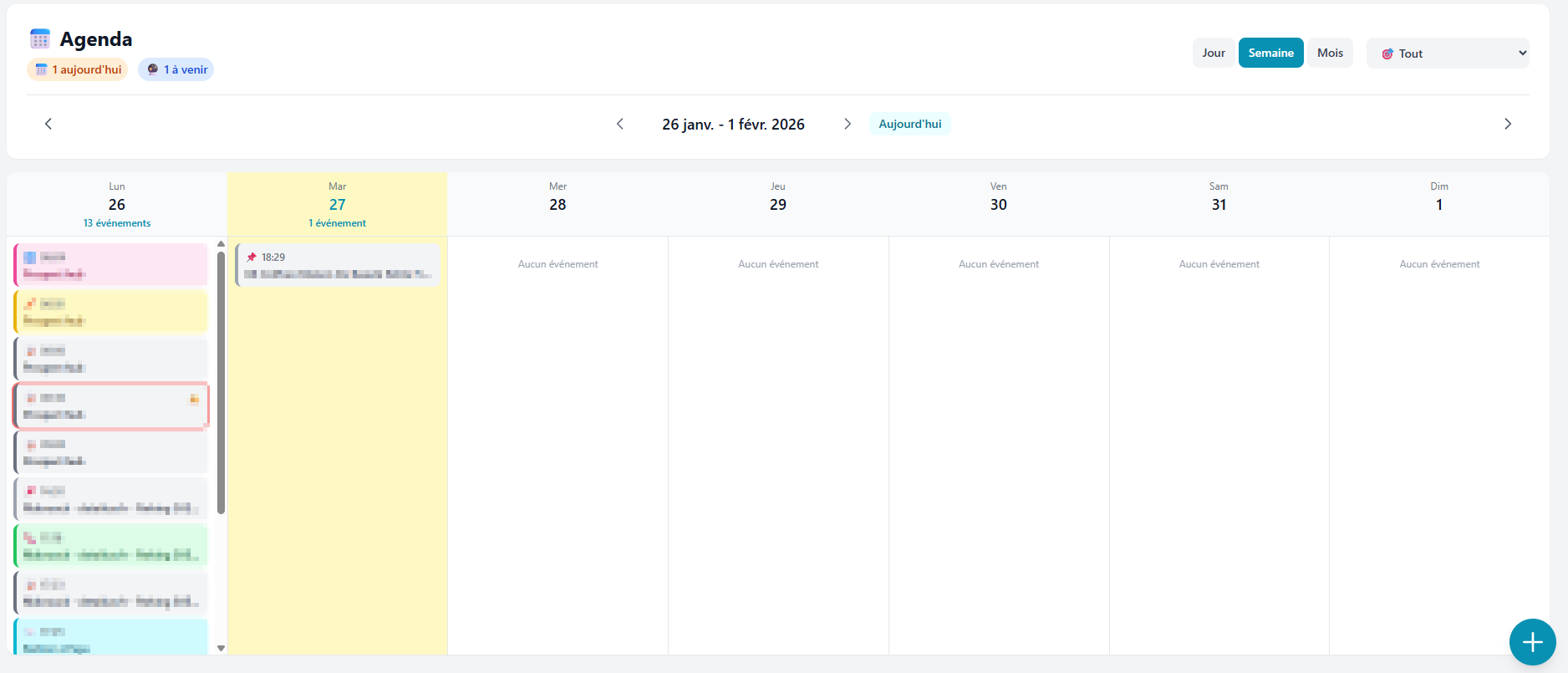
Prospect Hub weekly agenda view - week planner with event cards
Week view

Weekly view

Plan your prospecting week. See the number of events per day, view detailed event cards and balance your workload across the week.

  • Event counter per day
  • Detailed event cards
  • Ideal view for weekly planning
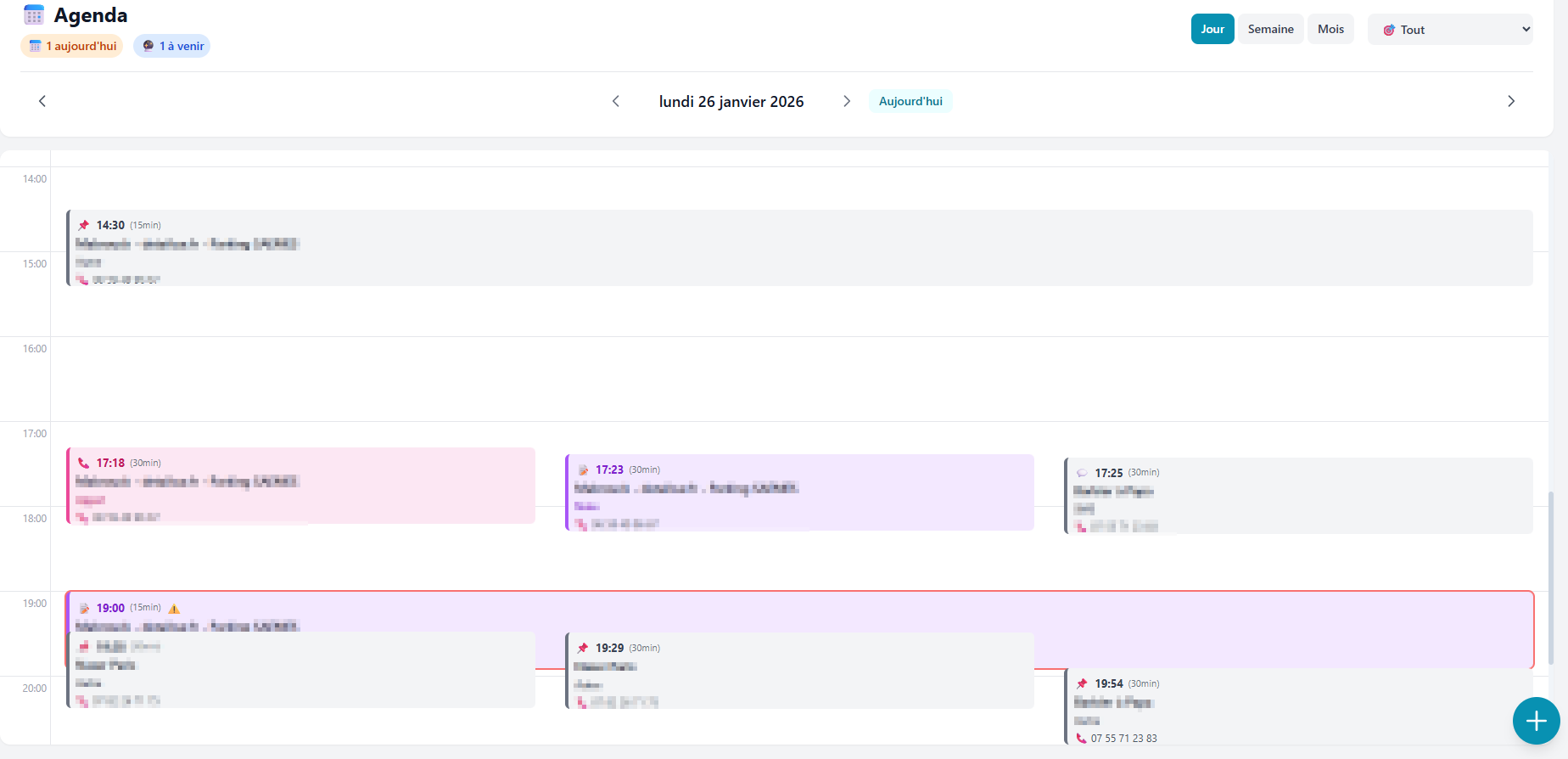
Prospect Hub daily agenda view - hour-by-hour timeline with events
Day view

Daily view

Your day broken down hour by hour. See your busy time slots, manage overlapping events and directly access your prospects' phone numbers.

  • Hour-by-hour timeline
  • Overlapping event management
  • Visible duration and accessible phone number

Agenda features

Everything you need to organize your prospecting on a daily basis, without leaving your CRM.

3 switchable views

Day, week or month: switch between views in one click to suit your needs.

Color code by type

Call, meeting, follow-up, email, quote... Each event type has its own distinctive color.

Linked to your leads

Each event is linked to a prospect. Click to open their full profile.

Counter badges

Spot your busiest days at a glance with counters on each day.

"Today" button

Jump back to today's date instantly, no matter which view you're browsing.

Quick creation

Create an event in one click with the + button. Select the type, lead and time.

Google Maps link

For appointments with an address, a Google Maps link is automatically generated to help you get there.

Filter by type

Display only calls, meetings or follow-ups for a clearer view.

Why a CRM-integrated agenda?

A calendar separate from your CRM means lost context and forgotten follow-ups. Prospect Hub's integrated agenda solves this problem.

No more back and forth

No need to juggle between your calendar and your CRM. Everything is in one place: your prospects, your notes and your appointments.

Context preserved

Each event is linked to a prospect. Before your call, you see their info, their history and their score. Zero improvisation.

No follow-up forgotten

Every scheduled follow-up appears in the agenda. You can't miss it anymore. It's the best way to never lose a prospect.

Global overview

See your entire prospecting week at a glance. Balance your days and identify free slots to prospect more.

Organize your prospecting

Create your account for free in 30 seconds. Schedule your follow-ups, track your appointments and never leave a prospect without a next step.

No credit card • No commitment • 300 free leads

Discover also