prospect-hub.app/leads/pipeline
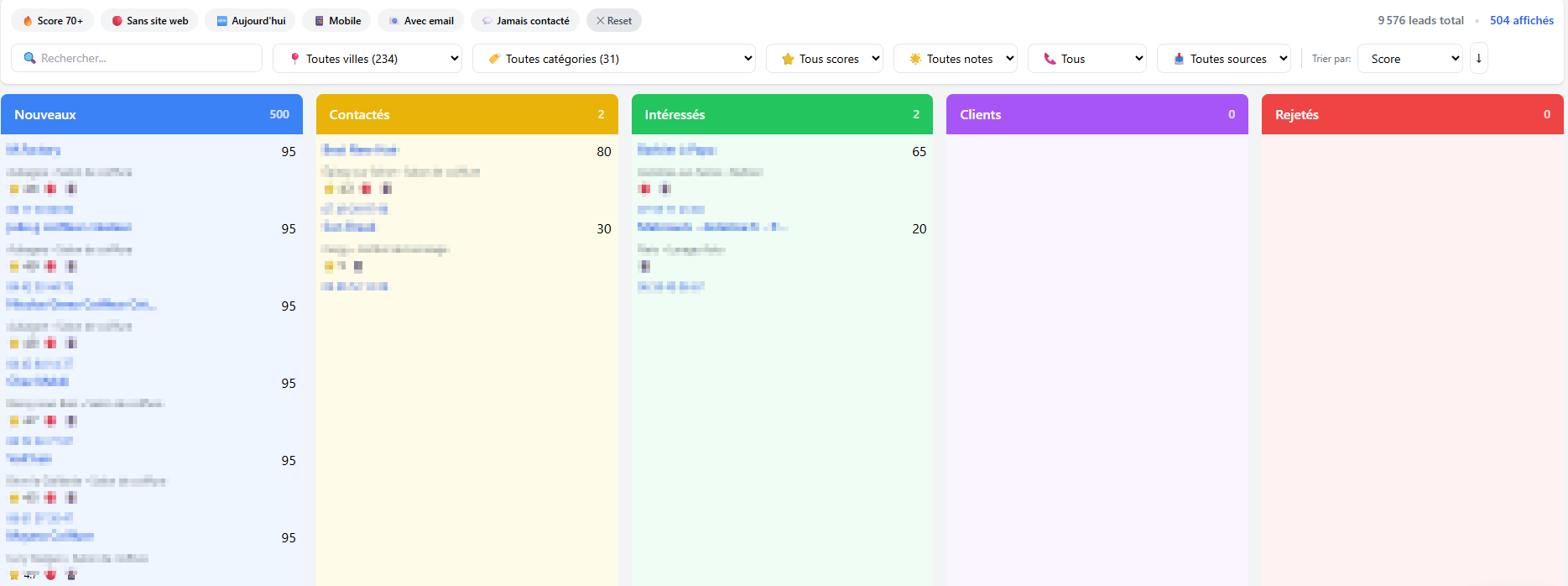
Pipeline view with quick filters, lead scores and 5 tracking columns
See your entire prospecting at a glance. Move your leads via drag and drop in an intuitive Kanban board and never lose sight of a prospect again.
Pipeline view with quick filters, lead scores and 5 tracking columns
Each column represents a clear status in your prospecting process. Move your leads from one stage to another with a simple drag and drop.
Freshly imported leads from your CSV files. They're waiting for your first contact.
First contact established by phone, email or message. Waiting for a reply.
Hot prospect who showed interest. Follow up quickly to close the deal.
Deal closed, the prospect became a client. Congratulations, mission accomplished!
Not interested or off target. Archived to keep your pipeline clean and readable.
Stop wasting time searching. Quick filters let you instantly isolate the leads that matter most. Combine them to refine your search.
Instantly identify your most promising prospects with automatic scoring.
These businesses need your services. Target prospects with no online presence.
Reach the decision-maker directly. A mobile number = easier and faster contact.
Filter leads that have an email address for your targeted email campaigns.
Find forgotten leads that were never contacted. No prospect slips through the cracks.
Segment your leads by location, business sector or import source. Sort by score to prioritize.
47 out of 500 leads match your criteria
Each lead displays its priority score directly on its card. No more guessing: focus on high-potential prospects.
High score
Priority prospect
Mobile available, no website, good Google rating, lots of reviews. This prospect needs your services.
Medium score
To evaluate
Some information available but incomplete. A first contact will help refine the potential.
Low score
Low priority
Little information, already has a website, no mobile. Handle last or reject.
Import your leads, organize them in columns and start converting today. No credit card required.
No credit card - No commitment - 300 free leads